How to play CDs in car stereo without CD player
CD as a major music distribution media is approaching its end of life. MP3 on USB, bluetooth from the phone are replacing CDs as the way most people would use to listen to audio information while they are driving. But like the saying: Get the new ones but keep the old; those are silver these are gold. Compared with MP3 or any new forms of new technologies, CD does offer better sound quality. If you spend money to equip your car stereo system with names such as BOSE, Nakamichi and all that jazz, playing MP3 is like asking an ameture conductor to conduct the Chicago Symphony Orchestra. Although CD is not famous for its sound quality, it does offer acceptable quality to both average listeners and music aficionados.
Now, there are few ways to play CD by car stereos without a built-in embedded CD player.
Method 1 - Rip the CD and convert to mp3
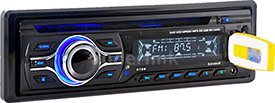
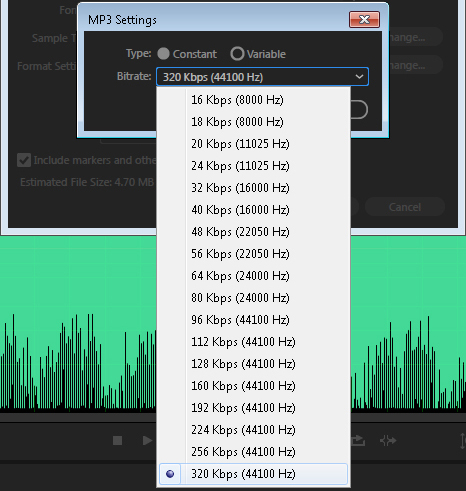
Did I just say the sound quality of mp3 is not as good as CD? Yes and no. Since mp3 is a compressed format so its sound quality has to be lower than the original CD PCM wav file. On the other hand, there are parameters you can control when you do the conversion. Originally mp3 was designed for putting on the web so the main attention was put on compression to reduce the downloadable file size. In the case of car stereo you don’t really have to concern that, which means you can set the streaming rate much higher to the extent that the loss of information is minimum. Different conversion software has different user interface but most will give you the option to choose different stream rates. For example if you use Adobe Audition then choosing the 320 kbps should give you almost the same CD quality. Once you get the mp3 files you can then put them on a USB drive to be plugged into the USB port of the dashboard of the car stereo. This is by far the simpliest way but it does require some technical skill to do the format conversion.
Method 2 - External CD player
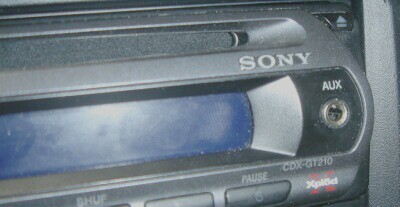
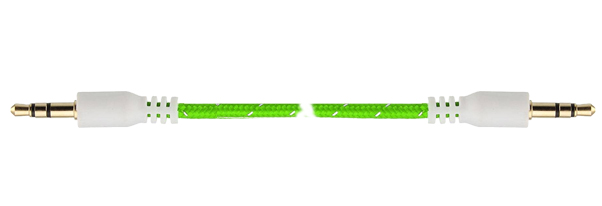
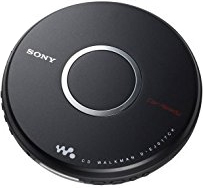
If ripping the CD sounds too techie to you then simply get an external CD player and feed the music through the earphone port of the CD player to the AUX in port of the car stereo. For this you will need a 3.5mm male-to-male audio cable.
Method 3 - Streaming via Bluetooth
If you don’t mind having too much electromagnetic wave circulating in your car then sending the music via Bluetooth can be as easy as pairing up your GPS. Instead of loading the mp3 files onto a USB drive as in method 1, you can transfer the files to your smartphone and pair up the smartphone with your car stereo. There are also external CD players that come with Bluetooth capbility.